
How to Create an E-commerce Website with WordPress in 2026 (Step-by-Step + Success Formula)



Creating an e-commerce website in 2026 is easier, smarter, and more profitable thanks to advanced AI tools, faster hosting, better WordPress builders, and optimized WooCommerce performance.
Below is your complete roadmap — from setup to long-term success.
⭐ PART 1 — Building Your E-commerce Website in 2026
1. Choose Fast, Secure Hosting (Most Important in 2026)
Your hosting affects speed, rankings, sales, and user experience.
Best 2026 E-commerce Hostings
- Hostinger Business + WooCommerce Optimized
- SiteGround Cloud
- Bluehost WooCommerce Plan
- Cloudways (DigitalOcean / Vultr)
Must-have hosting features for 2026:
- Free SSL
- NVMe SSD
- Edge caching
- Auto backups
- Firewall + DDoS protection
- 99.9% uptime
2. Install WordPress (1 Click)
Inside your hosting dashboard:
➡️ One-click WordPress Install
➡️ Set admin user + password
➡️ Log in: yourwebsite.com/wp-admin
Keep WordPress updated (2026 security is very strict).
3. Install WooCommerce (Your Store Engine)
- Go to Plugins → Add New
- Search WooCommerce
- Install + Activate
- Run setup wizard:
- Currency
- Tax
- Shipping
- Payments
- Store location
WooCommerce works for:
✔ Physical products
✔ Digital products
✔ Services
✔ Subscriptions
✔ Dropshipping
4. Choose a 2026-Optimized E-commerce Theme


4
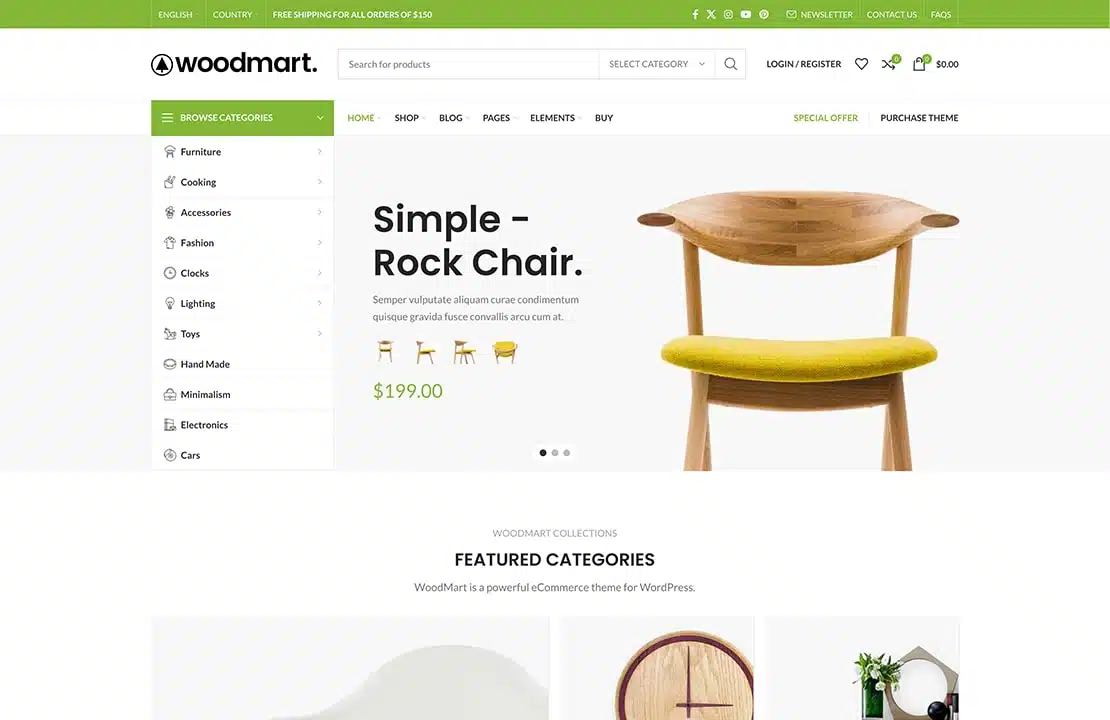
Top Themes for 2026
Theme | Why it's Perfect for 2026 |
|---|---|
Astra Pro | Fastest + works with Elementor/Bricks |
Flatsome | Best design for conversion |
WoodMart | Perfect for fashion, beauty, tech |
Blocksy Pro | Lightweight + futuristic design |
Use a professional homepage import to save 10+ hours.
5. Build Your Pages (With Elementor, Bricks, or Gutenberg)
Use drag-and-drop builders to design like a pro:
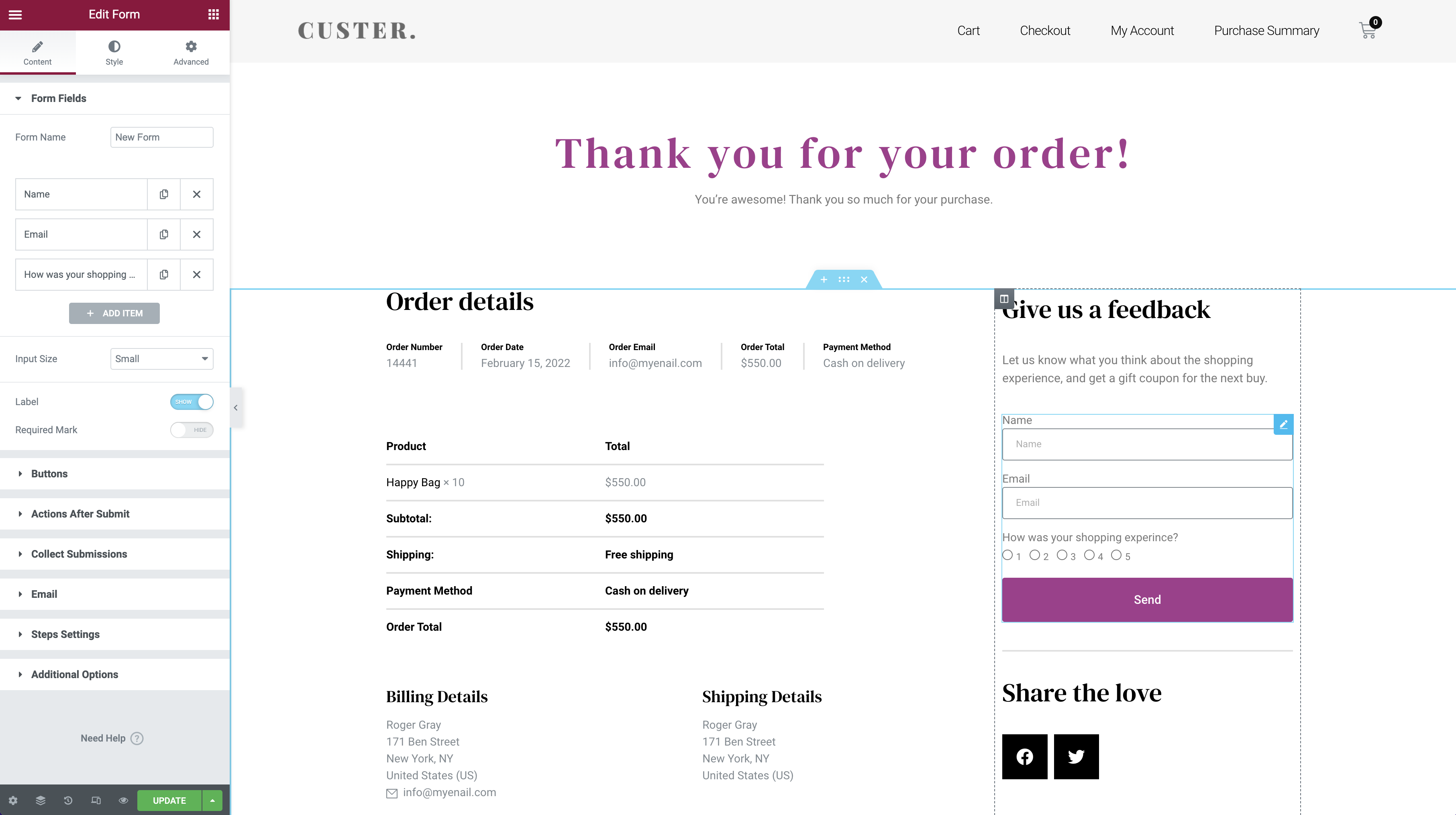


Essential Pages
- Home
- Shop
- Product pages
- Cart
- Checkout
- About
- Contact
- Privacy / Terms
For 2026, focus on:
- Mobile-first design
- 2-second loading speed
- Clean minimalist UX
- Strong call-to-actions
- Trust badges
6. Add Products (High-Conversion Formula)
Go to Products → Add New
Add:
- Product name
- Short & long description
- High-quality images
- Variations (size, color)
- Stock & SKU
- Price
- SEO title
2026 Product Images Tip
Use:
- PNG, WebP, or SVG
- Background removed
- 800 × 800 (minimum)
7. Set Up Payments (2026 Options)
Recommended:
- Stripe
- PayPal
- Apple Pay / Google Pay
- WooPayments
- COD (for local markets like Morocco)
Make sure checkout is:
✔ 1-page
✔ Fast
✔ Mobile-friendly
8. Configure Shipping
Set shipping zones & methods:
- Local
- Country-wide
- International
Enable:
- Flat rate
- Free shipping (for marketing)
- Real-time cost (DHL, UPS, FedEx)
9. Install Essential Plugins (2026 Edition)
Speed
- LiteSpeed Cache / WP Rocket
- Perfmatters
Security
- Wordfence
- Cloudflare
SEO
- Rank Math SEO (Best in 2026)
- Schema Pro
Marketing & Sales
- MailPoet
- Klaviyo
- WooFunnels (for checkout optimization)
- CartFlows
- TrustPulse (social proof)
Dropshipping / AI
- AliDropship
- CJ Dropshipping
- SureCart AI
⭐ PART 2—How to Be Successful in E-commerce in 2026
This is where 95% fail — and you will succeed.
1. Focus on a Profitable Niche
Top eCommerce niches for 2026:
- Smart home gadgets
- Beauty & skincare
- Fitness & wellness
- High-quality clothing & accessories
- Pet products
- Digital products (templates, ebooks, software)
- AI-powered tools
Choose a niche with:
✔ High demand
✔ Low competition
✔ Repeat buyers
2. Use AI to Grow Faster
AI in 2026 gives you a major advantage.
Use AI for:
- Product research
- SEO content
- Product descriptions
- Ad creatives
- Customer support
- Emails
- Branding ideas
AI reduces work by 70% and increases conversions by 40–200%.
3. Use High-Quality Product Photos
Poor images = poor sales.
2026 audiences want:
- Clean product photos
- 360° views
- Lifestyle pictures
- Video reviews
4. Build Trust (Very Important in 2026!)
Add:
- Customer reviews
- FAQ
- Return policy
- Payment security icons
- Shipping information
Trust = Sales.
5. Focus on SEO (Free Traffic Forever)
SEO Tips:
- Use Rank Math
- Fast loading pages
- Publish blog articles weekly
- Add keywords to product titles
- Optimize images for WebP
- Build backlinks
Sites with good SEO get free traffic forever.
6. Promote on Social Media
Best platforms for eCommerce 2026:
- TikTok Shop
- Facebook Ads
- YouTube Shorts
Use:
- Influencers
- Short videos
- Giveaways
- Tutorials
7. Run Paid Ads (Smart Strategy)
Start small, test products, scale what works.
Use:
- Facebook Ads
- TikTok Ads
- Google Shopping
- Pinterest Ads
Make offers:
- Buy 1 Get 1
- Free shipping
- 10% off first order
8. Build an Email List
Email = highest ROI in 2026.
Send:
- Welcome email
- Coupon codes
- New product announcements
- Abandoned cart emails
- Weekly newsletters
Use:
- Klaviyo
- MailPoet
- ConvertKit
9. Optimize Your Checkout
Important for sales:
- Remove unnecessary fields
- Allow guest checkout
- Offer fast payments
- Add trust icons
10. Use Analytics to Grow
Connect:
- Google Analytics 4
- Search Console
- WooCommerce Reports
Analyze:
- Best-selling products
- Abandoned cart rate
- Page speed
- Traffic sources
🎯 Conclusion: Your 2026 E-commerce Success Formula
✔ Choose the right hosting
✔ Install WordPress + WooCommerce
✔ Use a fast, modern theme
✔ Create high-conversion product pages
✔ Use AI automation
✔ Build trust
✔ Use SEO + social media
✔ Optimize checkout
✔ Scale with ads
✔ Analyze and improve
If you follow this guide, you WILL build a successful online store in 2026.
